

The Pre-Class Setup Panic and Why QCPR Sensors Fail
You have ten minutes before your CPR certification class begins. Students are settling into their chairs, opening workbooks, and waiting for instruction. You open your tablet, launch your training app, and start your routine pairing sequence.
Instead of seeing green checkmarks across your classroom grid, half your stations display a search wheel. A QCPR sensor not connecting creates instant stress, stalls your lesson plan, and hurts your professional standing.
Electronic feedback manikins give real-time data on compression depth, recoil, and rate. When working, they improve student skill acquisition. When they fail, you lose valuable teaching time.
Connection failures usually come down to three culprits: low battery voltage, software permission blocks, or local signal interference. Fixing these problems quickly requires a methodical approach before your students arrive.
Step 1: Diagnose the Physical Manikin and Power Source
Before changing software settings on your tablet, inspect the physical training unit. Electronic feedback modules require proper physical activation and sufficient battery power to emit a strong Bluetooth signal.
Waking Up Adult, Junior, and Infant Sensors
Different manikin designs use specific activation methods. Beginners often assume a unit is broken simply because the internal sensor is still asleep.
- Adult and Junior Manikins: Press down firmly on the center of the sternum. A single deep compression moves the internal mechanical arm, waking the sensor board. Listen for a short chime or watch for a flashing blue LED inside the chest cavity.
- Infant Manikins: Press and hold the power button located on the side or back of the unit for at least three seconds. The indicator light will flash blue once the unit enters pairing mode.
Solid Blue Light = Connected to a nearby device.
Flashing Blue Light = Awake, advertising, ready to pair.
No Light / No Sound = Depleted batteries or loose wiring.
If you see a solid blue light but your app shows no connection, the unit is likely paired to another tablet or phone in the room. Turn off Bluetooth on nearby secondary devices to force the sensor back into open pairing mode.

Battery Voltage and Low-Power Signal Drops
Bluetooth Low Energy (BLE) boards operate on tight voltage thresholds. When AA or AAA batteries drop below 30% capacity, the sensor may power an LED light while failing to broadcast a signal.
Replace batteries at regular intervals rather than waiting for complete failure. Keep a pack of fresh name-brand alkaline batteries in your gear bag. Avoid cheap heavy-duty batteries, as their lower voltage discharge curves cause connection drops mid-class.
If you regularly supply large training facilities, keeping spare parts like fresh lungs, skin covers, and battery doors on hand prevents last-minute panics. Explore reliable rescue manikins to ensure your equipment fleet meets current class volume demands.
Step 2: Fix Bluetooth Signal Interference and Mobile Device Permissions
When physical hardware checks out but pairing still fails, the problem usually sits within your mobile operating system.
Resolving Laerdal Bluetooth Manikin Sync Issue on iOS and Android
Operating system security updates frequently reset application permissions behind the scenes. If your app lacks necessary hardware access, it will scan indefinitely without finding nearby sensors.
Android Permission Path:
Settings -> Apps -> QCPR App -> Permissions -> Enable “Location” and “Nearby Devices”
iOS Permission Path:
Settings -> QCPR App -> Enable “Bluetooth” and “Local Network”
Android operating systems require active Location Services to perform background Bluetooth scanning. If location settings are turned off, the app cannot detect nearby hardware even if Bluetooth is enabled.
If you encounter a persistent Laerdal Bluetooth manikin sync issue, toggle your tablet’s main Bluetooth switch off for five seconds and turn it back on. This clears stuck cache files on the tablet’s wireless chip without requiring a full system reboot.
Eliminating Signal Crowding in Full Classrooms
A room filled with smartwatches, wireless headphones, personal smartphones, and Wi-Fi routers creates severe radio frequency clutter.
To maintain clean connections across ten or more stations:
- Set up your instructor tablet in the center of the room to minimize distance to all units.
- Ask students to place personal smartphones on airplane mode during practice sessions.
- Pair your devices one by one before students enter the classroom.
Step 3: Calibrate Inaccurate CPR Compression Feedback
Sometimes your manikin connects successfully, but the live score displays incorrect feedback. A student may compress to the full 5 cm depth, yet the app registers zero movement or incomplete release.
Aligning Chest Springs and Optical Depth Sensors
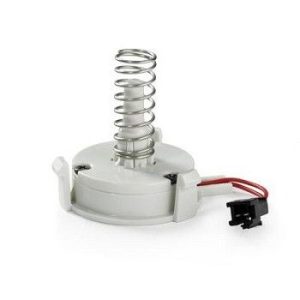
Feedback accuracy depends on clean physical sensors inside the chest plate. Over time, dust, skin powder, and displaced lung bags block optical sensors or bind mechanical depth arms.
Open the chest skin and remove the face shield assembly. Inspect the plastic sensor arm attached to the spine plate. Ensure the arm moves freely without catching on the foam skin or internal lung bag.
Use a clean, dry microfiber cloth to wipe down optical reflectors. Never spray liquid cleaners directly onto electronic sensor boards.
Clearing App Cache and Running Sensor Zeroing
If compression readings remain inaccurate after physical inspection, reset the software calibration:
- Close the active training room inside the app.
- Disconnect the problematic unit from your active list.
- Lay the manikin flat on a rigid surface with no weight on the chest.
- Re-pair the unit to allow the software to zero out its baseline depth readings.
Conducting practice sessions on soft carpet or uneven tables deflects the back plate, causing false depth feedback. Always perform calibrations and training on firm flooring or heavy wooden tables.
Training quality impacts real-world outcomes. Whether you teach BLS to healthcare professionals or community CPR to lay rescuers, using verified, reliable instruction methods matters. Reviewing industry standards on course validity for healthcare providers helps ensure your curriculum maintains compliance across all levels.
Quick Pre-Class Diagnostic Routine
Follow this fast routine thirty minutes before every class to identify hardware issues early:
- Unpack and Inspect: Lay out all training units on flat ground.
- Power Up: Compress adult chests once or hold infant power buttons to verify blue LED flashes.
- Launch App: Open your training software on a fully charged tablet.
- Bulk Pair: Connect all stations simultaneously using your saved classroom grid.
- Test Compress: Perform three clean compressions on each station to verify depth, rate, and recoil registration.
- Lock Grid: Finalize station numbering before students arrive.
When to Replace Hardware vs. Servicing Manikins
Every piece of training equipment has an operational lifespan. If a sensor fails to power on after fresh battery installs, firmware resets, and tablet reboots, the internal circuit board may have suffered static discharge or mechanical wear.
Instead of fighting unreliable gear during live certification sessions, replace worn components or upgrade aging fleets. If you need assistance selecting replacement parts or expanding your classroom inventory, reach out to our team through our contact page for personalized support.
FAQs
Why is my QCPR sensor flashing blue but not pairing to my tablet?
A flashing blue light indicates the sensor is broadcasting and ready to pair. If your tablet cannot discover it, check that Bluetooth and Location Services are toggled on in your tablet settings. Force close the app, turn your tablet’s Bluetooth off and on, and re-scan.
How do I reset a Bluetooth CPR manikin sensor?
To hard reset a sensor, open the battery compartment, remove the batteries, and hold down the chest skin or power button for five seconds to drain residual charge. Reinsert fresh alkaline batteries and press the chest once to restart the board.
Why does the app show full compressions when nobody is touching the manikin?
This occurs when the internal optical sensor is blocked by debris, a misaligned lung bag, or direct sunlight shining through thin chest skins. Move the unit away from bright windows, re-seat the internal lung bag, and clear dust from the sensor path.
Can I run two instructor tablets in the same classroom?
Yes, but you must divide your manikins cleanly between devices. A single QCPR sensor cannot connect to two instructor apps at the same time. Pair the first half of your room to Tablet A before powering on and pairing the remaining units to Tablet B.